Reduced onboarding complexity by designing context-aware router setup flows, reducing the screen count by half.
Year:
2024
Timeline:
16 weeks

Overview
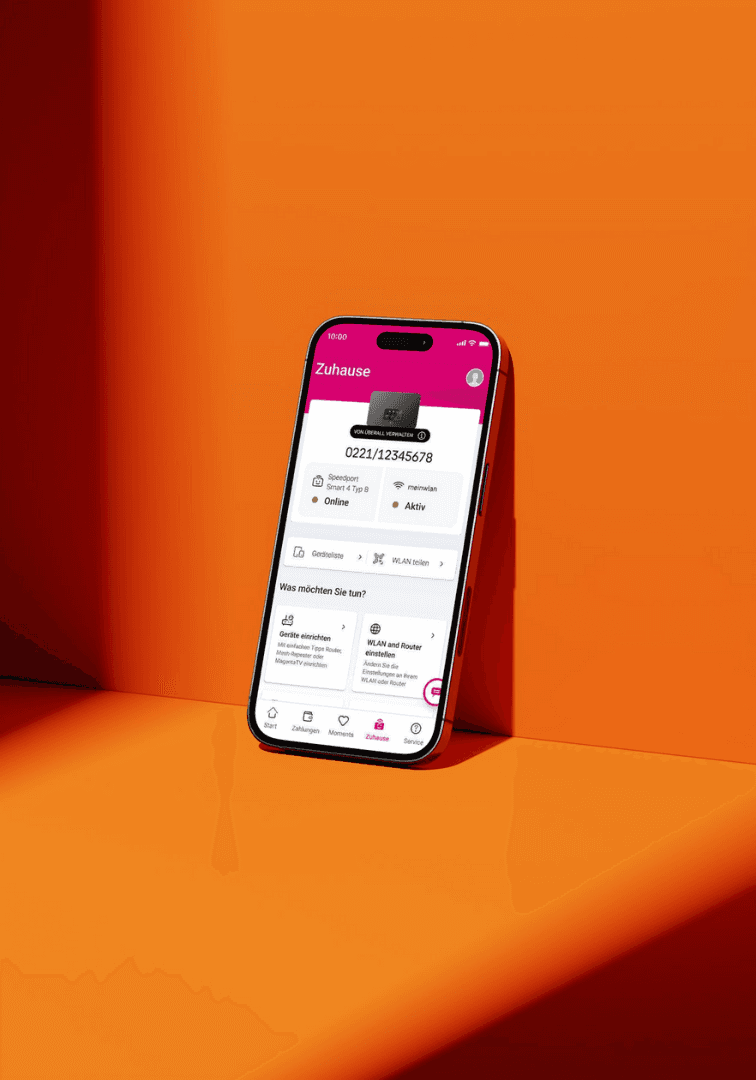
➡️ The project focused on reframing router onboarding as a guided, user-friendly experience rather than a technical wizard setup.
Customers' first major interaction with their broadband service is frequently router installation. A seamless onboarding process lowers support requirements and increases satisfaction.
However, the various router types, technologies (DSL, Fibre, Hybrid), and legacy flows made the router setup process in OneApp complicated, resulting in lengthy procedures, technical instructions, and confusing entry points—especially for non-technical users.
My Role
As the product designer, I collaborated closely with product managers, engineers, and research teams to rethink the router installation experience from both a user and system perspective.
My responsibilities included:
Mapping the existing onboarding journeys across multiple router types.
Identifying friction points in the setup process through research insights.
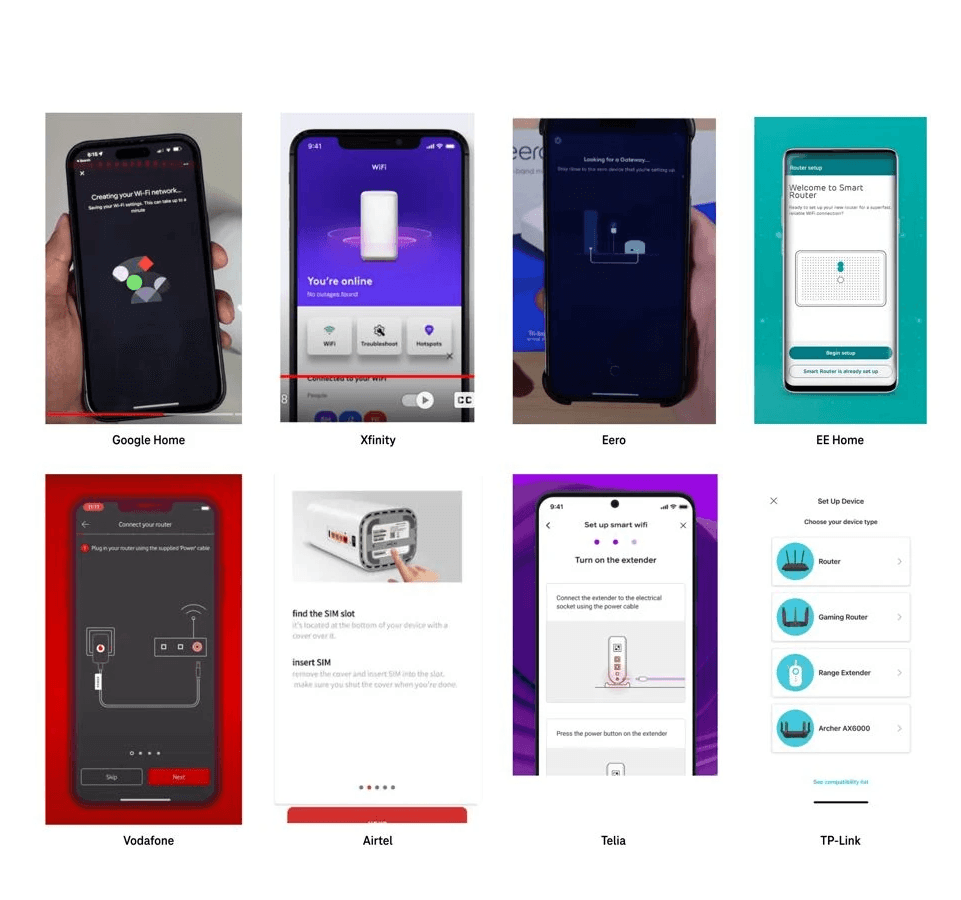
Conducting a competitive analysis of 10 telecom and smart-home onboarding experiences to identify best practices.
Designing simplified onboarding flows tailored to different installation scenarios.
Prototyping and validating solutions with stakeholders and internal testing.
Ensured accessibility alignment with W3C 2.1 standards to comply with the EU Accessibility Act 2025.
Problem
➡️ The first interaction was broken.
Router installation is a critical activation step for broadband customers. This complexity of models, technologies, etc., increased the likelihood of setup errors, user frustration, and dependency on customer support during what should ideally be a simple self-service process.
Fragmented and Long Flows
Up to 20–25 screens depending on device type, increasing friction and task completion time.
Technical Jargon
Users were asked to understand DSL, hybrid networks, and router models with zero context.
One Size Fits All
New customers and existing ones are routed through the same experience.
No Post Install Guidance
Setup complete—and then nothing. Users had no on-ramp to the app's actual value.


Impact
screen reduction across different device journey.
screens for the idealistic state of the onboarding
competitors benchmarking to define best in class.
Entry Scenarios
Who's actually showing up?
Instead of abstract personas, I mapped entry conditions. Three distinct scenarios. Three completely different expectations—each should get what they needed.


"I just want my Wi-Fi to start working. Why do I need to install the app now?"
New Customers
The BB service number sent to them via post is not handy when setting up a router. No app installed.
SMS Entry
Leaflet- with Barcode

“Where do I find my broadband number?”
Existing Customers
Users who have DT service but no BB services. App installed but no service linked.
SMS Entry
Leaflet- with Barcode
App

“Everything is already linked to my account—this setup should be quicker.”
Returning Users
Users who possibily change their router and technology. App installed, broadband linked.
SMS Entry
Leaflet- with Barcode
App
Benchmarking
I benchmarked 10 global competitors, including:
Google, Xfinity, Eero, EE, Vodafone, Airtel, Telia, TP-Link
Gateway Connection—
A gateway connection is built between the app and router via Bluetooth or Wi-Fi, reducing manual steps and auto-capturing data.
Interactive Process—
Competitors like Google, Eero, and Xfinity used strong visual language and interactive elements to reduce the cognitive and technical load.
Linear Process—
Some competitors used a gateway connection to capture data, resulting in only a 10-step process for the setup.
Post-Journey Integration—
Post-installation education is treated as part of onboarding, not an afterthought.
Design Strategy
Three moves that changed everything.
Context-Driven Architecture—
Modular flows triggered by customer type, router model, and network technology. No more one-size-fits-all. The journey adapts to the user—not the other way around.
Progressive Disclosure—
Information only appears when it becomes relevant. Technical jargon replaced with plain-language system feedback. Users are guided, never bombarded.
Pre-Post Journeys—
Onboarding reframed as an experience, not a task. Pre-install sets expectations. Post-install transitions users directly into router management and self-service features.
The Soluion
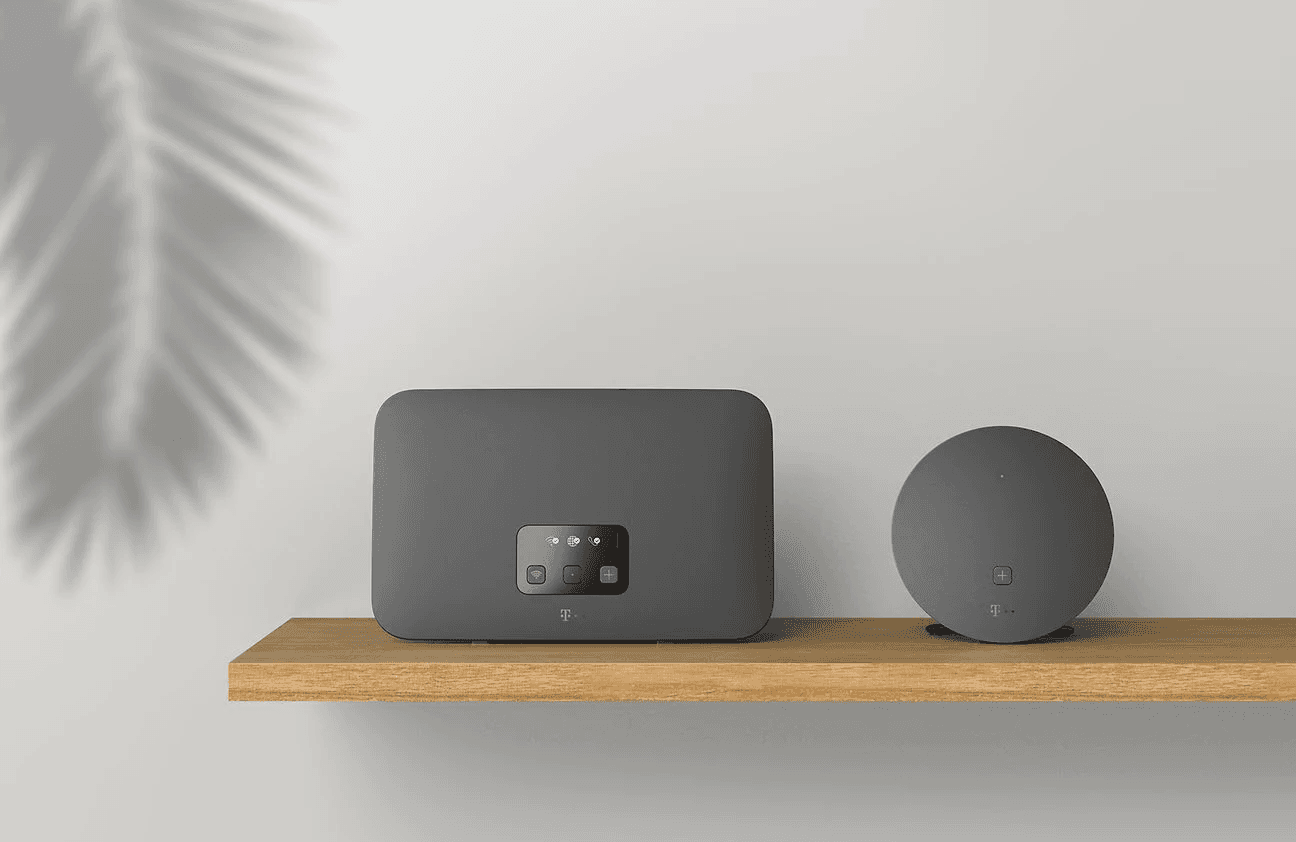
Redesigning Telekom's router setup flow to reduce cognitive load, set clearer expectations, and guide users through hardware onboarding with less friction.

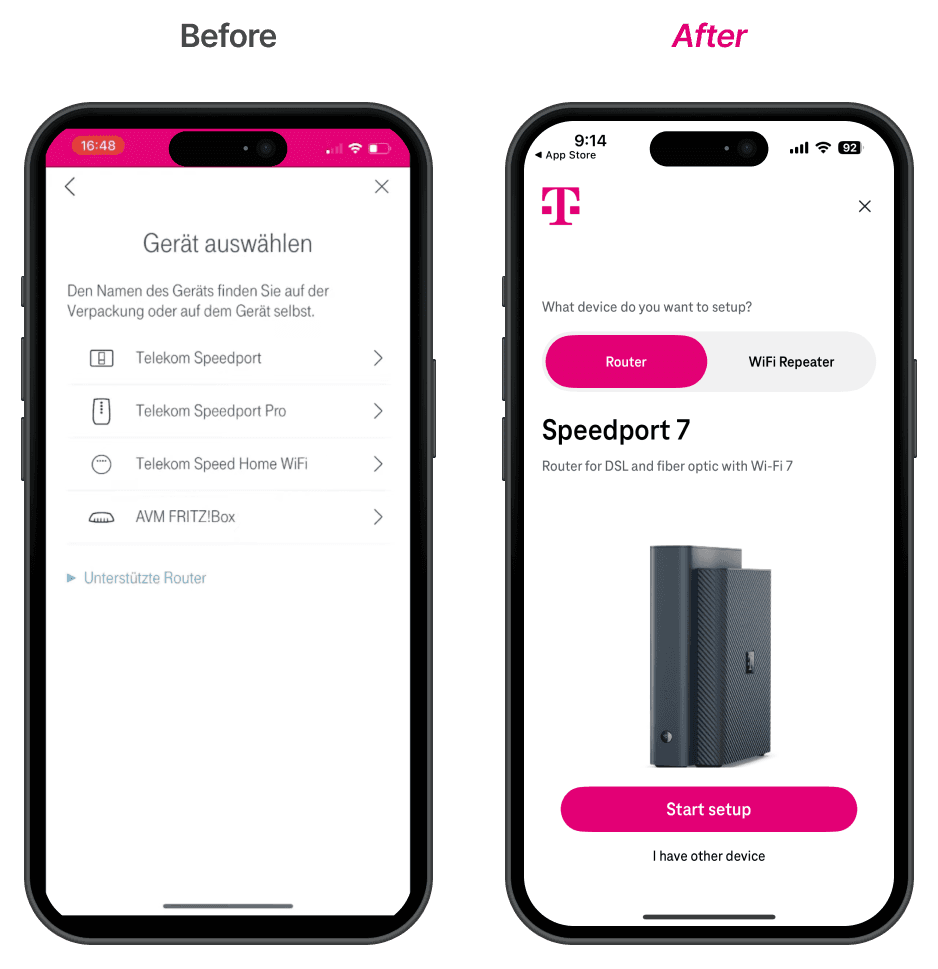
Onboarding & Device Selection
Before: Generic list of device names with small icons, requiring users to recognize their device from text alone.
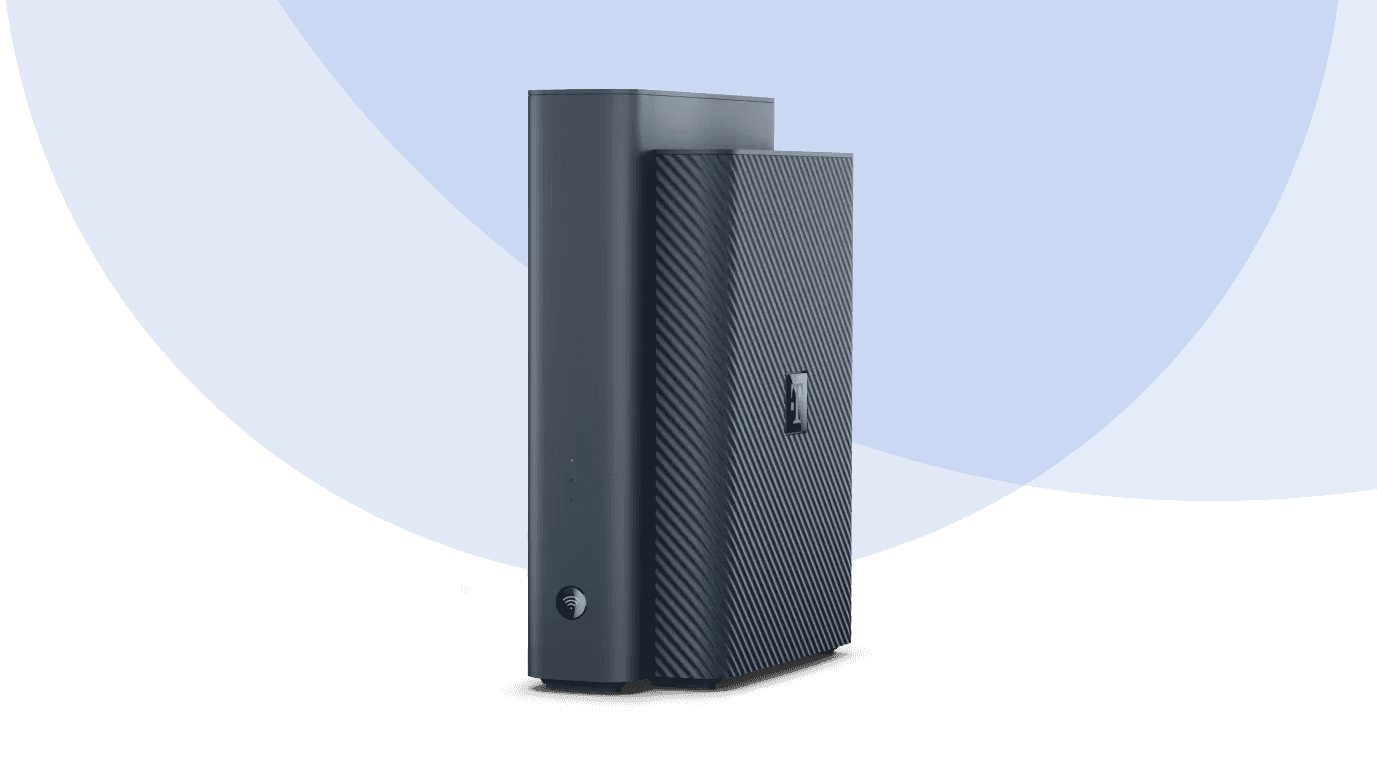
After: Shifts to a recognition over recall pattern — shows a large product image of the detected/recommended device (Speedport 7), with a clear segmented control (Router / WiFi Repeater). Users confirm rather than search. The prominent "Start setup" CTA reduces decision paralysis.
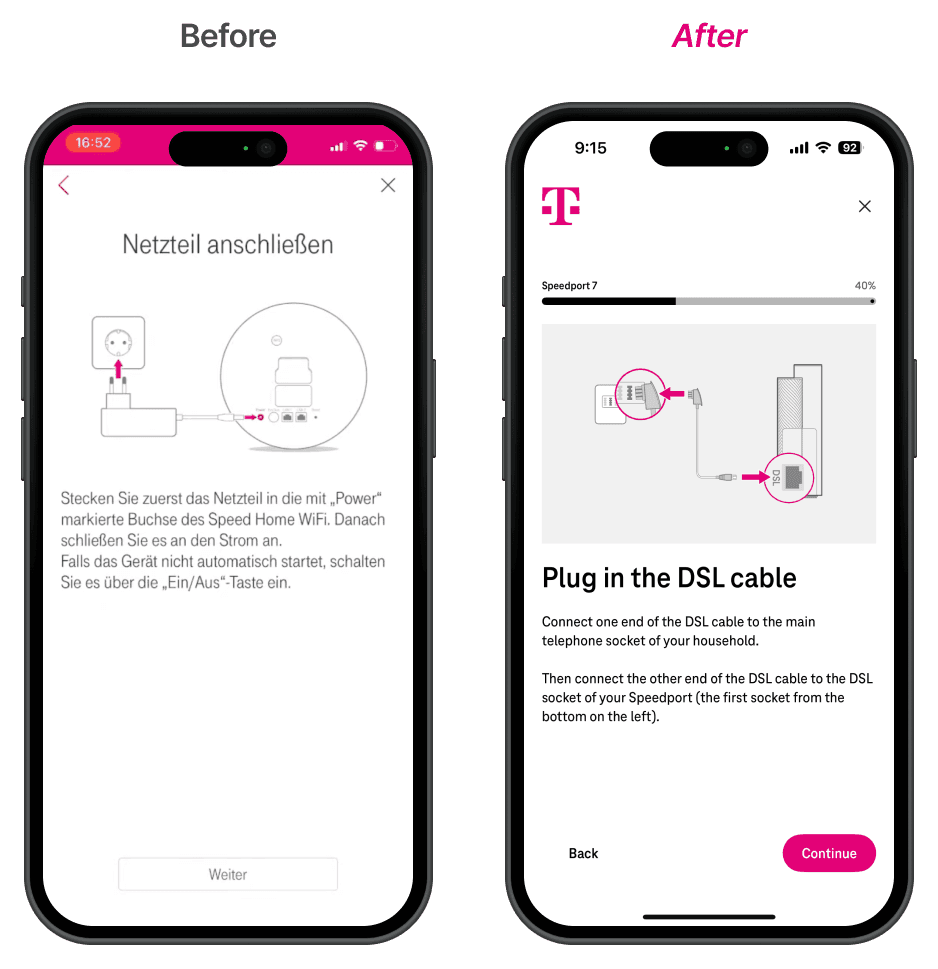
Setup Instructions
Before: Centered title, a vague circular diagram, and a dense text block. The illustration doesn't clearly indicate of where to exactly plug the cable.
After: Applies progressive disclosure with spatial mapping — the illustration directly annotates connection points with pink arrows and the clear word "DSL", which is also on the device, making the physical action unambiguous. A progress bar (40%) adds a sense of completion, reducing anxiety about how long setup takes. Typography hierarchy (large heading → short body) improves scanability.
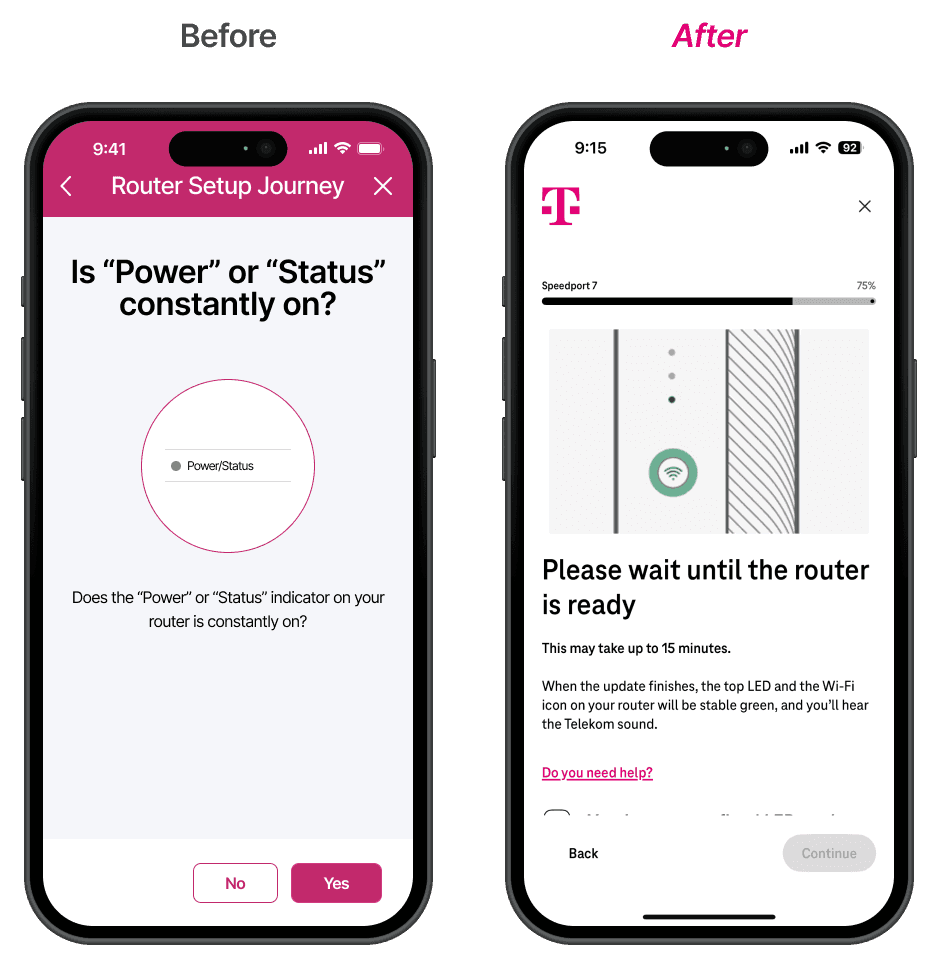
Status Confirmation
Before: Repetetive content in heading and sub-body. Unclear where to exactly check on router.
After: Removes the question entirely. Instead, the app takes ownership of the waiting state — it tells users what to expect (LED behavior, Telekom sound, up to 15 min). This shifts from user-as-troubleshooter to app-as-guide.
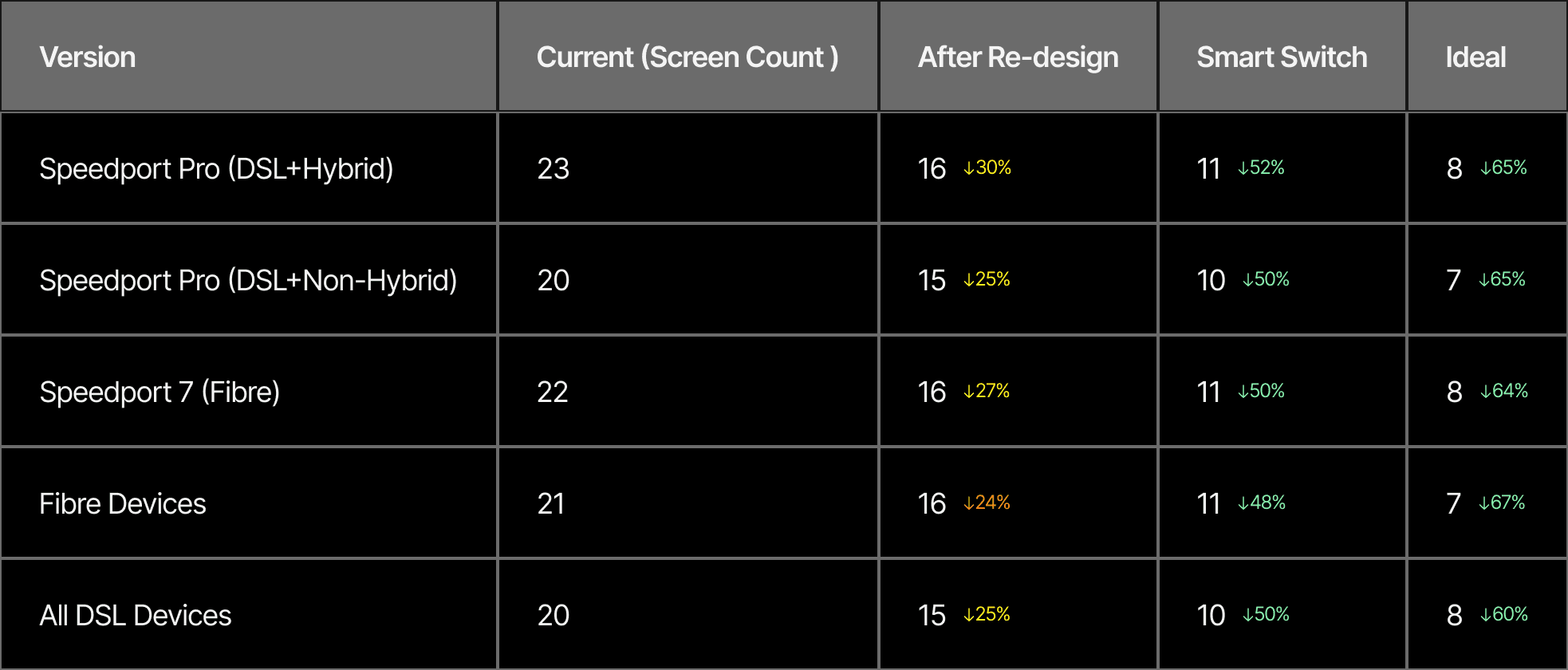
Before/After
Screens Cut.
Each journey was redesigned with precision. The table shows exactly where complexity was stripped away.
Smart Switch—Ability to build gateway connection.
Ideal State—Ability to pre-populate information by capturing user data of buying a router, BB number sent or not, etc.
Cannot show the full process, user flows, wireframes, etc., as NDA applies.
Thanks for reading.
+
+
+

Let's Talk
Curious what we could build together? Let’s turn bold ideas into meaningful, high-impact experiences. Drop me an email at khuwalneha@gmail.com to learn more — or just to chat over a cup of coffee.
+
+
+